Great short-form videos feel effortless; however they are anything but that. Behind every high-retention Reel or TikTok is a sequence of intentional scene choices that control pacing, focus, and emotion. A full-screen actor builds trust. A graphic clarifies the message. A fast visual effect resets attention at exactly the right moment.
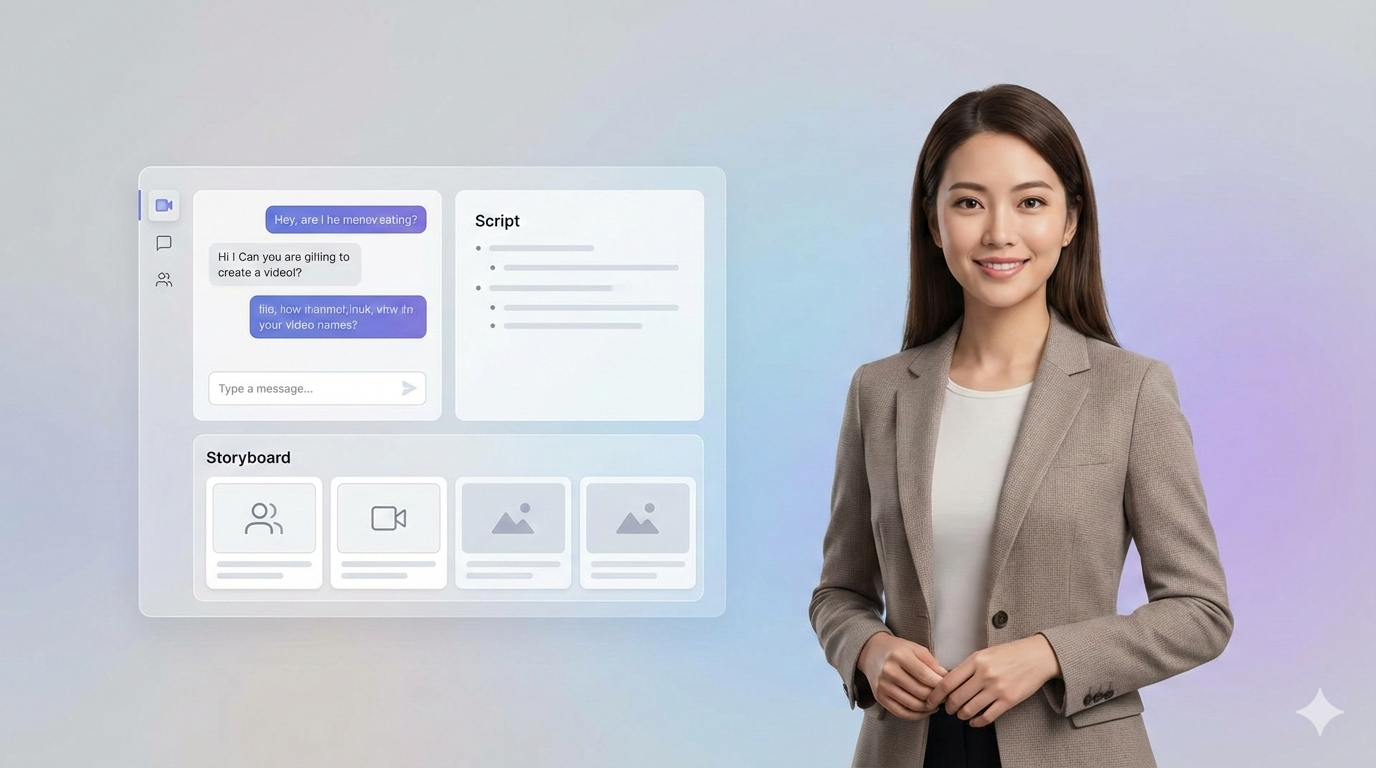
Personate’s Video Agent already applies these principles when it generates your storyboard. This guide is not about starting from scratch. It is about understanding why each scene type appears, so you can review the storyboard with confidence and make smart creative adjustments using your own insight, taste, and context.
Core Scene Types in Personate
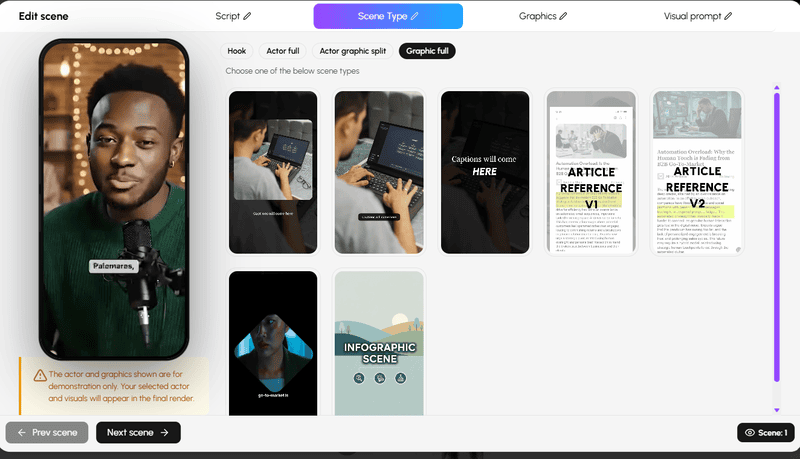
These scene types form the structural backbone of every video you create in Personate. The Video Agent uses them to balance clarity, pacing, and viewer attention, automatically placing each scene where it delivers the most impact. As you review your storyboard, understanding the role of each core scene type helps you quickly assess what works, what to keep, and where a small adjustment can better align the video with your message and audience.
Actor Full Screen Scene for Trust, Hooks, and Audience Connection
Actor Full Screen scenes place the speaker fully in frame without competing visuals. There are no split layouts or supporting graphics pulling attention away. The focus is entirely on the person delivering the message.
This scene type works because viewers are naturally drawn to faces, eye contact, and expression. In short-form video, that direct human presence creates a sense of trust and immediacy. It feels less like content and more like a conversation, which is especially powerful in the first few seconds of a video or during emotionally important moments.
The Video Agent typically uses Actor Full Screen scenes for hooks, key statements, and calls to action. These are moments where credibility, tone, and delivery matter more than visual reinforcement.
This scene type works well for:
- Opening hooks that rely on personality or conviction
- Delivering a key insight, opinion, or emotional beat
- Closing moments such as calls to action or takeaways
When reviewing your storyboard, look for scenes where the message should feel personal, grounded, or authoritative. If a scene feels visually busy or over-designed, switching it to Actor Full Screen can sharpen focus and strengthen connection. This format works best when delivery is concise and expressive, with enough energy to hold attention on its own.
Actor + Graphic Split Scene for Educational and Explainer Short-Form Video
Actor + Graphic Split scenes present the speaker alongside supporting visuals such as text, icons, or images. This format allows information to be delivered verbally while key ideas are reinforced visually, creating a clearer and more structured viewing experience.
The Video Agent often uses this scene type when a message benefits from added context or emphasis. Lists, comparisons, and highlighted phrases become easier to follow because the viewer can both hear the explanation and see what matters at the same time. This also makes the content more accessible for viewers watching on mute, a common behavior in short-form feeds .
This scene type works well for:
- Structured ideas like tips, steps, or frameworks
- Emphasizing important phrases, numbers, or definitions
- Providing visual context without cutting away from the speaker
When reviewing your storyboard, pay attention to visual hierarchy. The speaker should remain the primary focus, with graphics acting as reinforcement rather than competition. Clean, well-timed visuals enhance retention, while overly complex ones can distract from the message.
Graphic Full Screen Scene for Emphasis, Visual Proof, and Attention Reset
Graphic Full Screen scenes temporarily remove the speaker and give the entire frame to a visual element. This can be bold text, B-roll, imagery, charts, screenshots, or visual examples. The purpose is not decoration. It is emphasis.
From a viewer psychology standpoint, cutting to a full-screen visual acts as a deliberate attention reset. It signals that something important is happening and directs the viewer to focus fully on what they are seeing. Because the human brain processes images faster than spoken words, these moments often land more strongly than explanation alone.
The Video Agent typically uses Graphic Full Screen scenes when a visual example carries more weight than continued on-screen presence. These scenes often appear after a key statement, during a reveal, or as a transition that keeps the video from feeling visually static.
This scene type works well for:
- Highlighting key stats, results, or transformations
- Showing B-roll, demonstrations, or visual proof
- Creating clean transitions between ideas or sections
When reviewing your storyboard, look at whether the visual truly earns the full frame. Full-screen graphics are most effective when they are directly tied to the narration and shown briefly enough to maintain momentum. Overuse can dilute their impact, but well-timed full-screen moments create clarity, variety, and stronger retention.
Visual Effects in Personate
Visual effects are not decorative add-ons. In short-form video, they are timing tools. When used intentionally, effects reset attention, signal importance, and guide the viewer through moments of change in pace or energy.
The Video Agent applies these effects automatically where they serve a clear purpose. As you review the storyboard, your role is to evaluate whether the timing, intensity, and placement feel right for your specific message and audience.
Rapid Shutter Visual Effect for Hooks and Pattern Interruption
The Rapid Shutter effect is designed to act as a pattern interrupt. By flashing multiple frames in quick succession, it creates a moment of visual disruption that jolts attention and sparks curiosity. Psychologically, this works because the viewer senses that something important is coming next without seeing it fully revealed, which builds anticipation in the opening seconds .
The Video Agent most often places Rapid Shutter at the very beginning of a video or just before a major transition or reveal. These are moments where attention is most fragile and urgency matters. The effect sets a fast pace and signals that the content is worth staying for.
This effect works best when:
- Used as a hook in the opening second of a video
- Introducing a major shift, reveal, or payoff
- Supporting high-energy or hype-driven content
When reviewing your storyboard, check that the Rapid Shutter effect is earning its place. The research is clear that overuse can feel chaotic or fatiguing, especially if the flashes are not tied to meaningful moments . A well-timed shutter effect should feel purposeful, brief, and aligned with what follows. Its role is to amplify intrigue, not replace substance.
Text Match Cut Visual Effect for Smooth Transitions and Narrative Flow
The Text Match Cut effect uses on-screen text as a visual bridge between scenes. A word or phrase appears, then carries through the cut into the next scene, making the transition feel intentional rather than abrupt. The result is a smoother narrative flow that keeps viewers oriented as the video moves forward.
From a psychological standpoint, this effect works by syncing what viewers read with what they see. It reduces cognitive friction during cuts and helps the audience track ideas without losing momentum. This is especially effective in short-form video, where rapid pacing can otherwise feel disjointed .
The Video Agent commonly applies Text Match Cuts during transitions between ideas, sections, or steps. These moments benefit from continuity, particularly in educational, list-based, or explanatory content.
This effect works best when:
- Transitioning between sections or key ideas
- Emphasizing important phrases or takeaways
- Guiding viewers through structured or narrative content
When reviewing your storyboard, focus on timing and clarity. Text should be concise, legible, and perfectly aligned with the spoken message. If the text lingers too long, appears too small, or carries unnecessary detail, the effect can distract rather than guide. When used sparingly and precisely, Text Match Cuts make a video feel polished, cohesive, and easier to follow.
Personate’s Human-in-the-Loop Design
Personate’s Video Agent automates the heavy lifting, not the creative judgment. It applies proven principles of short-form video structure to generate a thoughtful storyboard, then puts the creator back in control.
Every scene, effect, and visual choice is editable. Nothing is locked, hidden, or irreversible. The agent handles speed and structure, while humans bring context, taste, and intent.
This approach ensures videos are not just fast to create, but aligned with the creator’s message, audience, and goals. Automation accelerates the process. Human insight shapes the outcome.
Conclusion
Strong short-form videos are built on decisions, not effects. Scene types and visual techniques work best when they serve a clear purpose, whether that is building trust, clarifying a message, or resetting attention at the right moment.
Personate’s Video Agent already understands these principles and applies them automatically. The real advantage comes from knowing how to review the storyboard with intention, recognizing where structure is doing its job and where human insight can make it better. When automation handles speed and structure, creators are free to focus on nuance, context, and storytelling.
The goal is not to use every scene type or effect, but to use the right one at the right time.
How to Create a Digital Avatar Using 'Design with AI'
The guidelines here reflect best practices at the time of research; always validate against current platform policies and your own analytics.